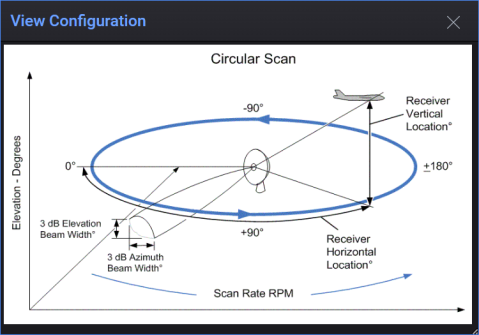
The antenna beam rotates in a circular motion.
The following property is used with this Type:
Scan Rate
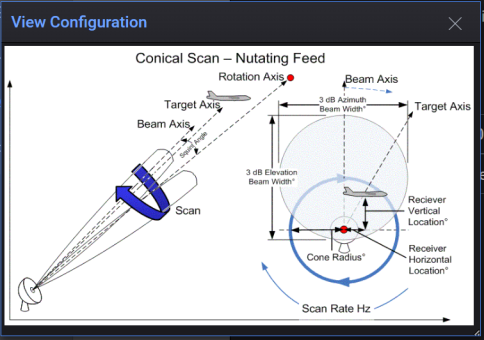
The antenna beam rotates in a cone-shaped pattern.
The following properties are used with this Type:
-
Scan Rate
-
Cone Radius
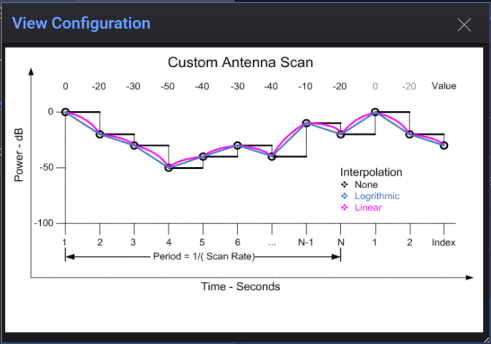
A custom amplitude pattern is provided by importing a file containing amplitude data. The file format is ASCII CSV and the data is assumed to be in dB. The valid data range is from -100 dB to 0 dB. Time is assumed to be constant and equal between data points. It is assumed that the file contains one complete scan of the amplitude pattern. The time increment between data points is established using the scan rate property. The Custom amplitude pattern is not combined with any other antenna properties except Null Depth. The maximum dynamic range of the amplitude pattern is hardware specific and most likely less than 100 dB.
The following properties are used with this Type:
-
Scan Rate
-
Interpolation
-
User File Name
The following properties are not available for this Type:
-
Radiation Type
-
Receiver Location
-
Horizontal Beam Width
-
Vertical Beam Width
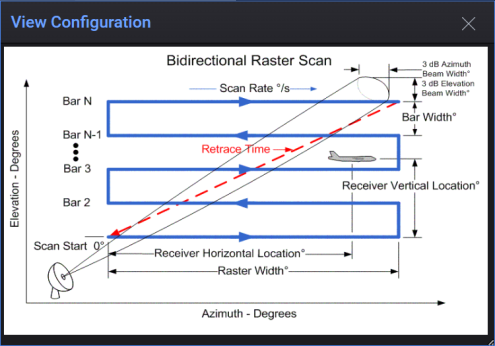
The antenna beam sweeps back and forth across a raster grid.
The following properties are used with this Type:
-
Scan Rate
-
Retrace Time
-
Raster Width Angle
-
Bar Width Angle
-
Number of Raster Bars
-
Beam On Retrace
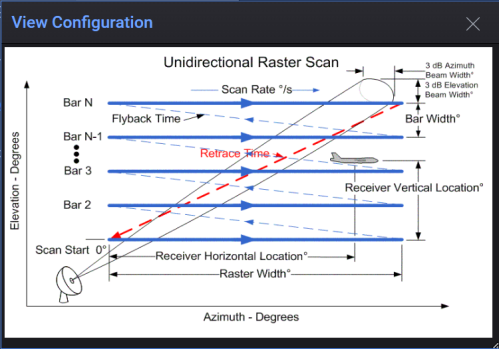
The antenna beam sweeps in one direction across a raster grid, then returns to the start.
The following properties are used with this Type:
-
Scan Rate
-
Retrace Time
-
Raster Width Angle
-
Bar Width Angle
-
Number of Raster Bars
-
Fly Back Time
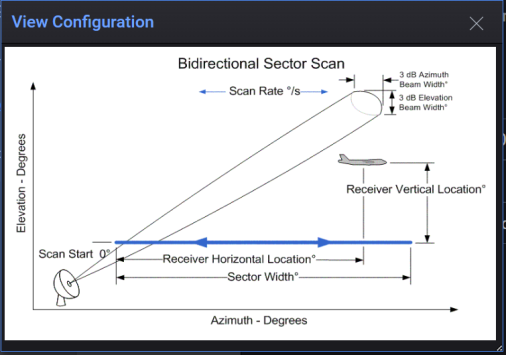
The antenna beam sweeps back and forth within a defined sector angle.
The following properties are used with this Type:
-
Scan Rate
-
Sector Width Angle
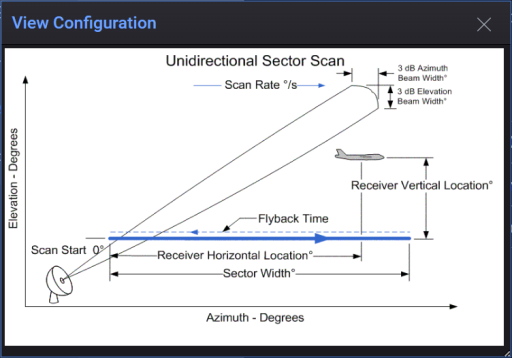
The antenna beam sweeps in one direction within a sector, then returns without scanning.
The following properties are used with this Type:
-
Scan Rate
-
Sector Width Angle
-
Flyback Time